
Mesh Drive
Browse and search files across your devices from one Mac window.
My files live on more than one machine. I wanted a Finder-style way to browse my Macs and the drives attached to them, find a file by name, and bring a copy back when I needed it.
- One place to browse
- Open approved folders and drives from a shared sidebar. Use list, icon, column or gallery view, and keep different locations open in separate windows.
- Search by filename
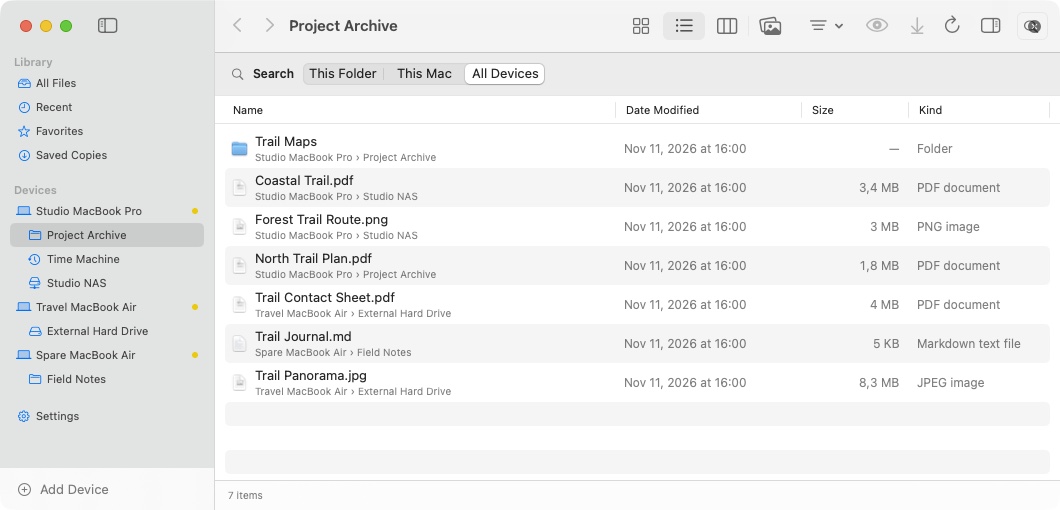
- Search the current folder, one device or all indexed devices. Mesh Drive searches names it has already seen and can index more folders on request.
- Preview and copy
- Preview supported images, PDFs and text. Save a local copy or copy a file into a location you have enabled for copies.
Why I built it
I kept switching between Finder, remote connections and Terminal to answer a simple question: where did I put that file? I wanted the devices and their storage in one place, with the same keyboard shortcuts and browsing habits I already use on a Mac.
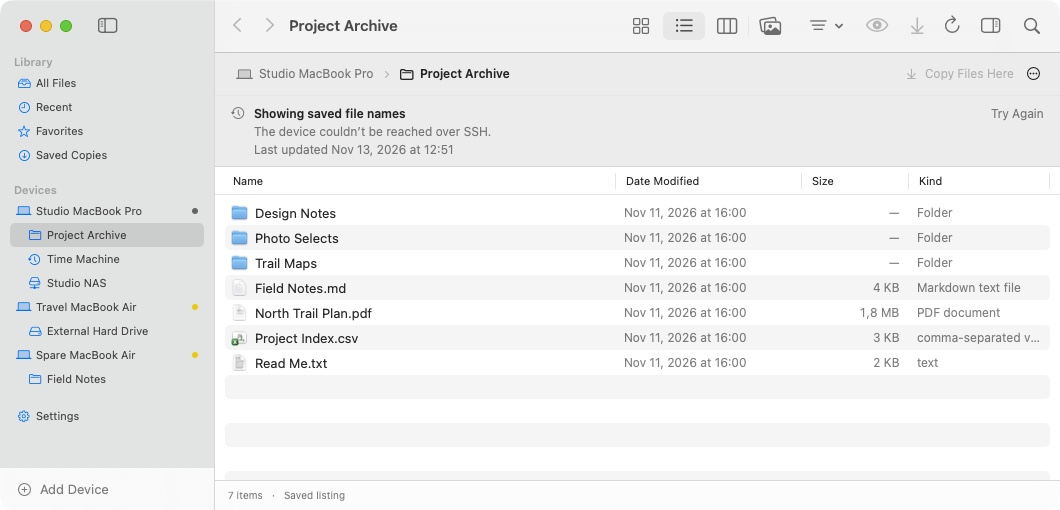
A device isn’t always online. I still want to know what was in a folder the last time I opened it. Keeping the file list locally lets me find a name and decide what I need to fetch once the connection comes back.
Screenshots
How I built it
- 1. Build a native file browser
- SwiftUI handles the sidebar, navigation and browser layouts. AppKit provides Finder-style file icons, clipboard integration and Quick Look. Each window keeps its own location and selection while sharing the same library.
- 2. Connect over SSH
- I use macOS OpenSSH and SFTP to list and transfer files. You choose the folders or drives to browse and verify the device’s host key on first connection. A changed key stops the connection for review.
- 3. Keep a local catalog in SQLite
- The catalog stores filenames, sizes and modification dates, along with when each folder was last read. It powers filename search and saved listings. File contents stay on the device until you request a preview or copy.
- 4. Make copying an explicit action
- The app stages transfers before placing a copy at its destination. Copying into a remote location needs your approval the first time. Existing files with the same name are skipped.
What I learned
An offline listing is useful when it says exactly when it was last refreshed. I show its age in the browser and keep saved copies in their own section, where they can be opened in Finder.
File identity needs more than a name. The catalog keeps the device, storage location and path together so two files called Read Me.txt can show up separately in the same search.